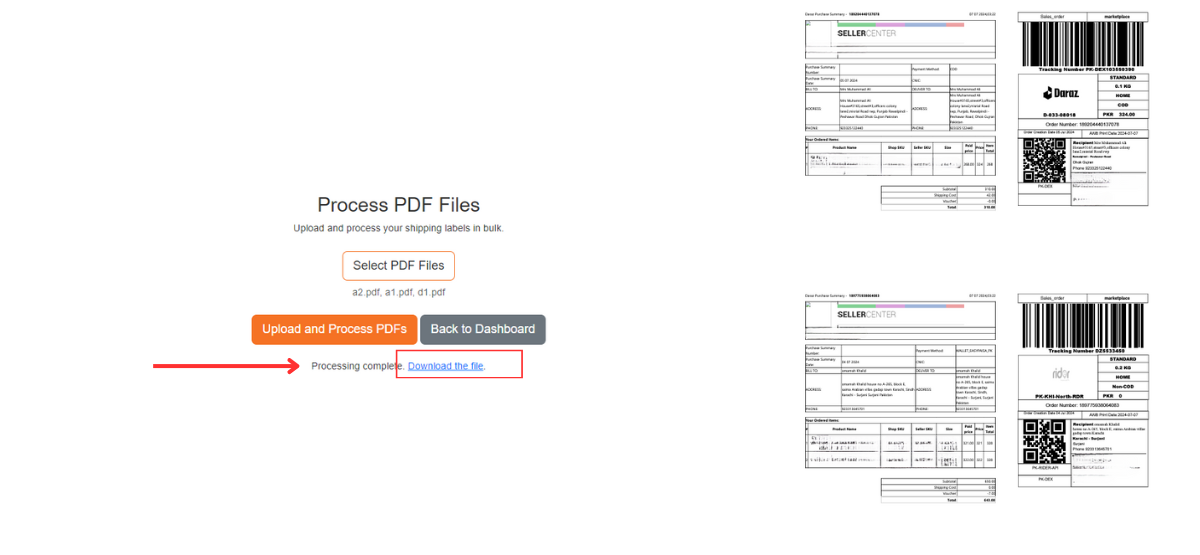
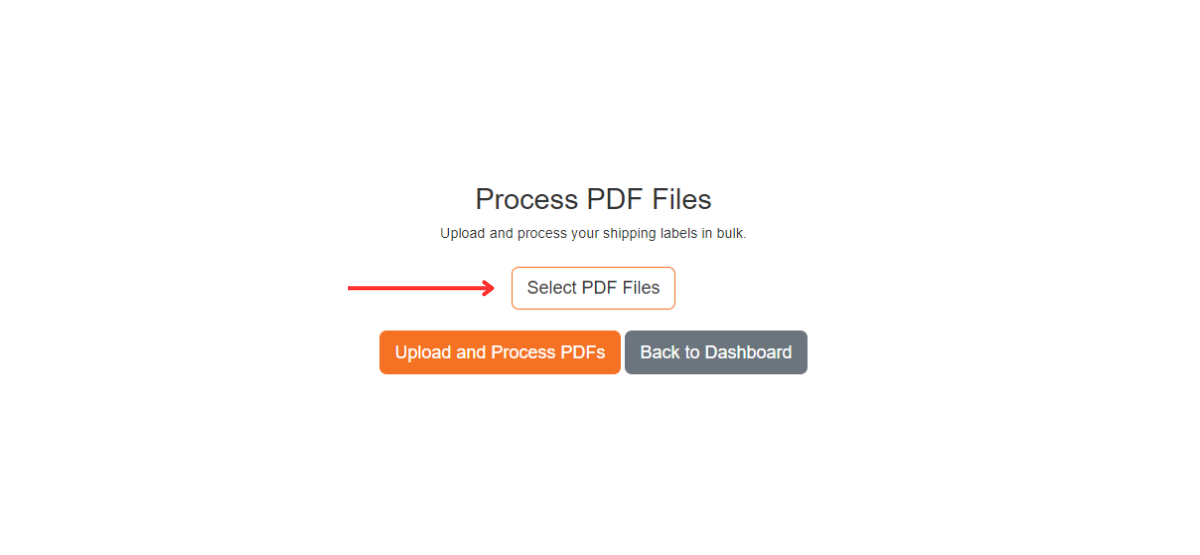
Process PDF Files
Upload and process your shipping labels in bulk.
Note: Your uploaded files are not saved. This is a one-time process, and files will be processed and removed after completion.
How It Works?
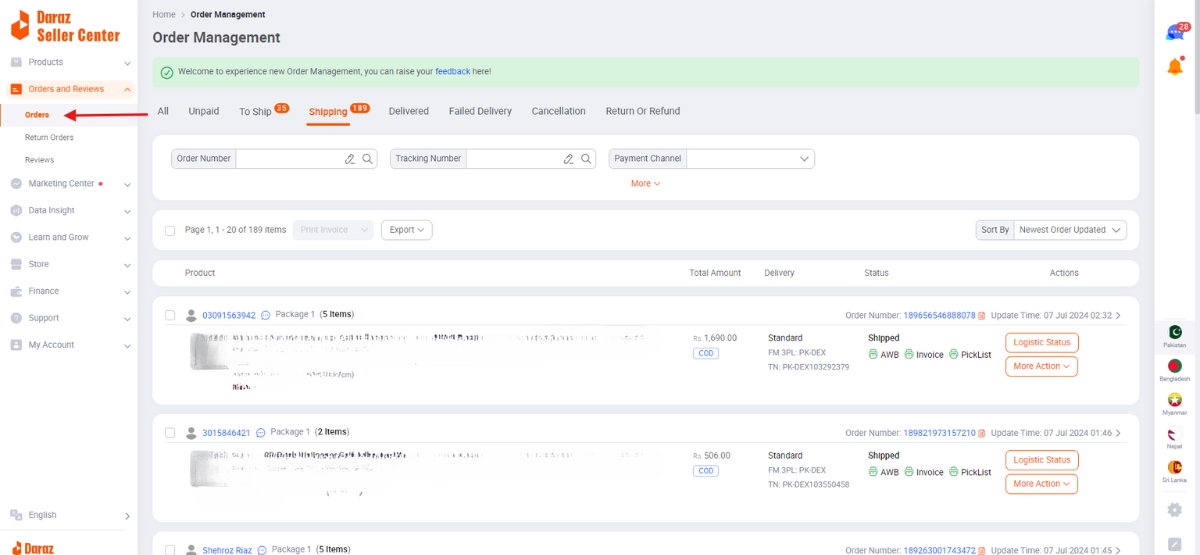
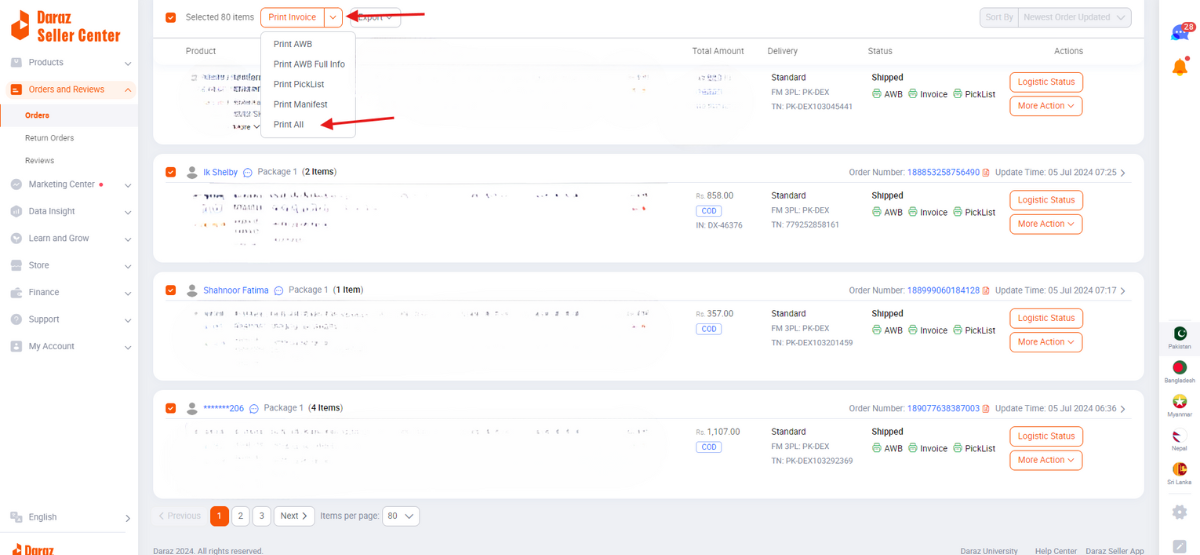
1. Login to Daraz Seller Center.
2. Click on Orders tab.
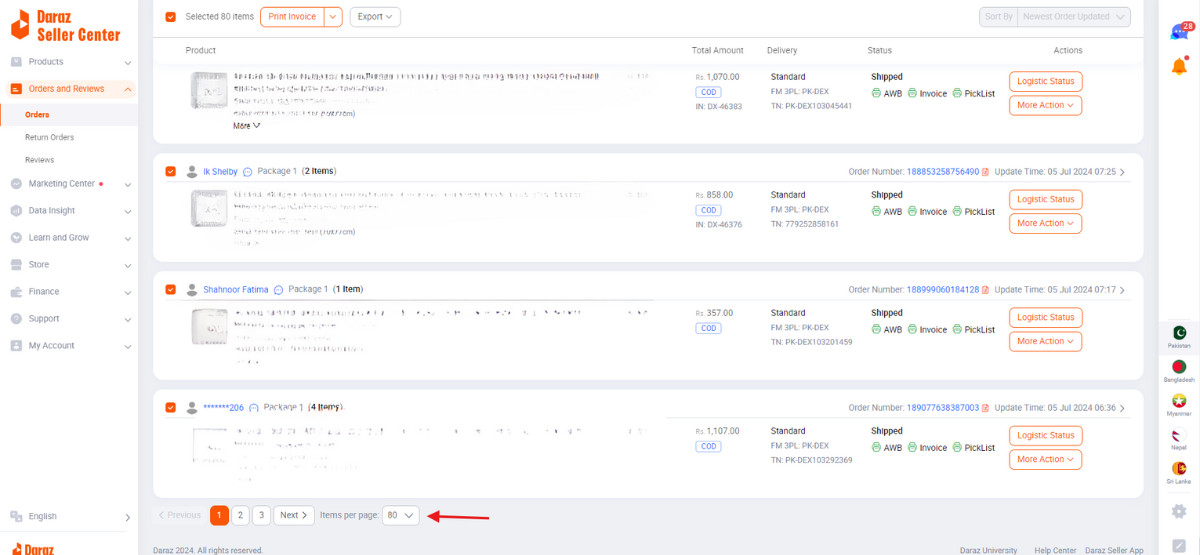
3. Scroll down to bottom and set items per page to 80 or whatever the max is.
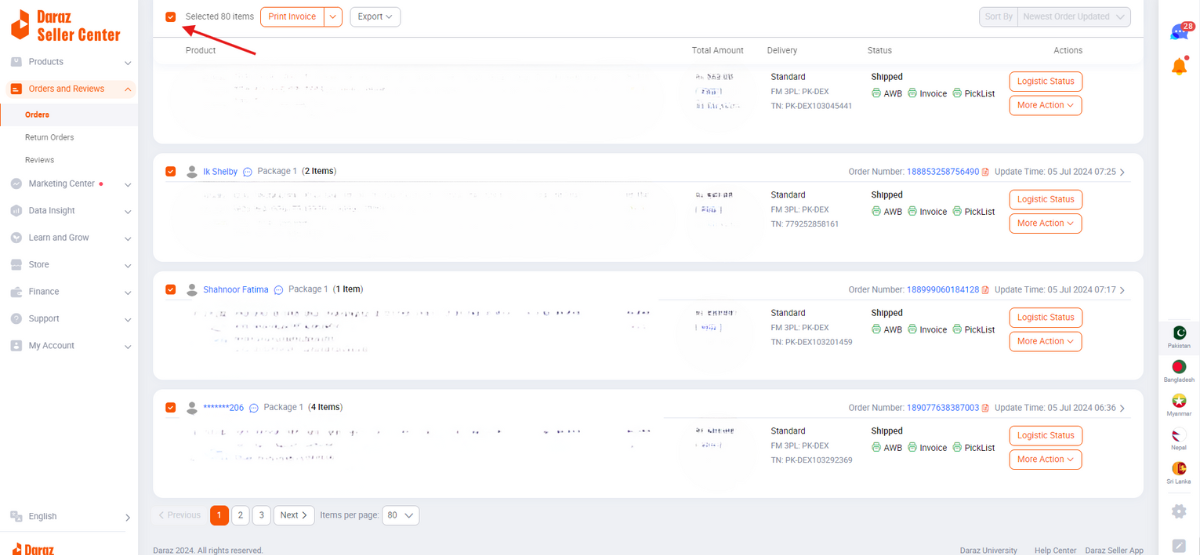
4. On the top click on the select all checkbox.
5. Click on the dropdown arrow next to print invoice and select print all.
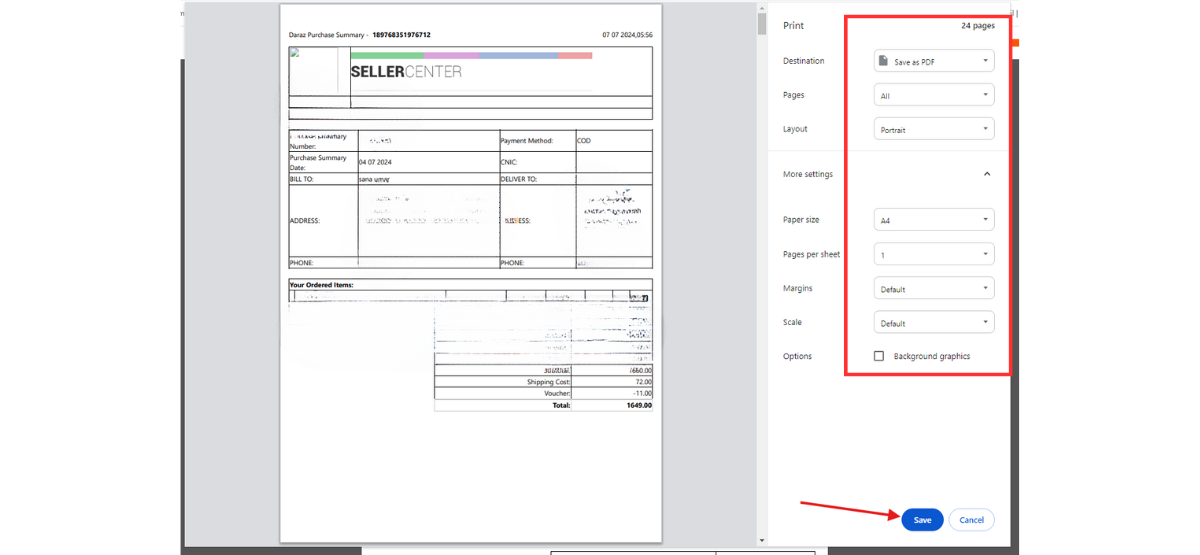
6. Save as PDF
7. For Daraz max items per page is 80 so if you have more orders repeat the same process to make pdf / Or if you have multiple accounts repeat the same process.
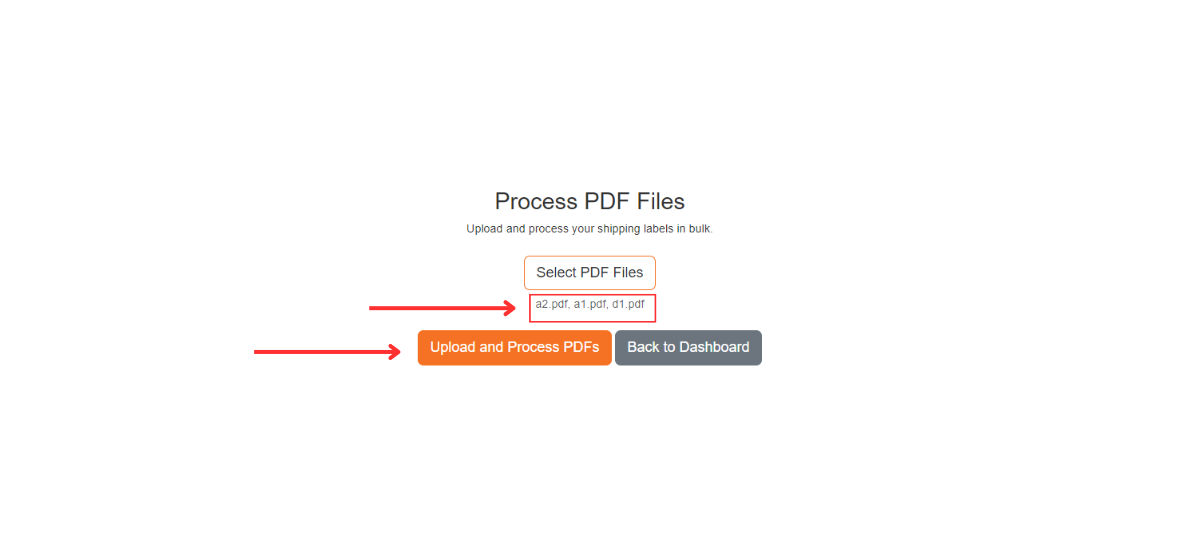
8. Click on Choose File.
9. You can select all your PDFs at once.
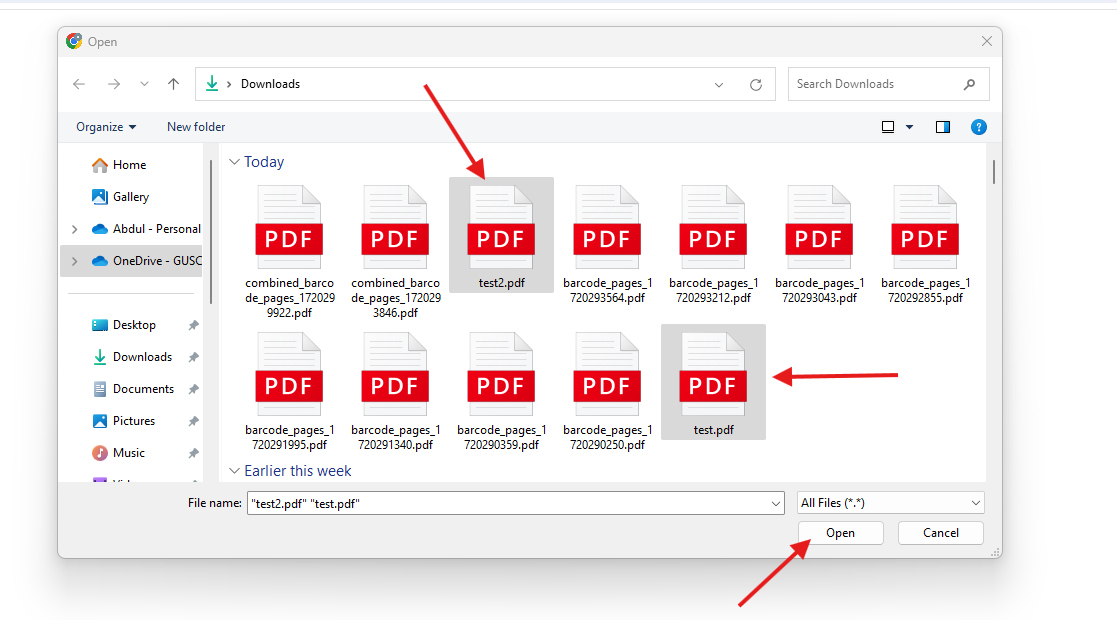
10. After choosing it will show you how many files you have selected. Verify it and then click on upload and process PDF.
11. This will process all your PDFs and provide you one single PDF in the format below.